

Three-letter airport codes look like trivia until they become part of how you think about travel. SEA is more than a label when you remember Seattle–Tacoma; HND and NRT make more sense when you connect each one to a different side of the Tokyo airport story. The useful skill is not memorizing an isolated list. It is building a two-way link between code and place.
Know which code system you are learning
IATA codes are the familiar three-letter codes used in passenger travel contexts. ICAO identifiers are normally four letters and serve a different aviation context. SkyStamp’s quiz focuses on IATA codes. The Passport itself can be searched by IATA, ICAO, city, or country, but the quiz does not pretend those are the same exercise.
This distinction matters because a correct learning loop starts with a precise target. If you want to become faster at recognizing passenger-airport codes, practice IATA in both directions. Use ICAO search when you need to find a Passport entry, not as evidence that the quiz tests ICAO knowledge.
Practice recall in both directions
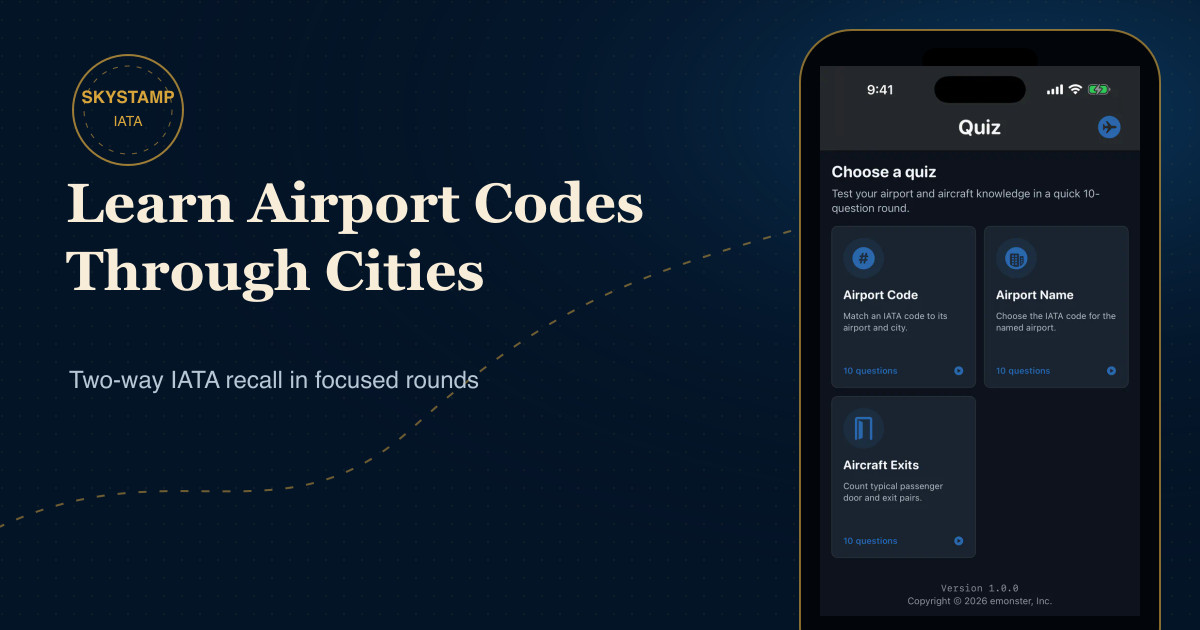
Recognition is easier than recall. Seeing “CDG” and choosing Paris–Charles de Gaulle from four answers is useful, but it does not guarantee that you can produce CDG when you see the airport name. SkyStamp therefore has two airport quiz modes:
- Airport Code: match an IATA code to its airport and city.
- Airport Name: choose the IATA code for the named airport and its location.
Each round uses ten questions by default and four choices per question. The airport set is curated around recognizable, larger scheduled-service airports, which makes the practice focused rather than random.
Build a memory from the city outward
When a code is intuitive—SEA for Seattle, for example—the city supplies a ready-made cue. When it is less obvious, use a three-part association:
- Say the code aloud.
- Name the airport and the city or metropolitan area it serves.
- Attach one concrete detail: a terminal, a trip, a language, or a geographic direction.
The detail does not have to explain the letters. It only needs to make the airport distinct. Personal associations are often stronger than invented acronyms because they connect the code to a real memory.
Study confusing airport groups together
Many errors happen within a city group. Tokyo has HND and NRT; a traveler who remembers only “Tokyo” has not yet learned which airport the code represents. Practice those airports side by side and compare their full names and locations. Do the same whenever a metropolitan area has multiple airports.
SkyStamp’s Passport search can help here: search by city, inspect the matching airports, then return to the quiz. Moving between collection context and active recall makes the code less abstract.
Use short rounds and review mistakes
Ten questions are short enough to repeat. Instead of chasing a perfect score once, use several focused rounds across a week. On a wrong answer, read the airport name and location before continuing. The correction is the learning moment; the score is only a signal.
A simple routine is:
- One Airport Code round.
- Write down the two hardest pairs.
- One Airport Name round.
- Find those airports in your Passport or map.
- Repeat the same sequence later, after a delay.
Connect knowledge to your own passport
The most useful codes are the ones that help you navigate your own collection. Begin with airports you have visited, then expand to nearby hubs and places you hope to see. If you are starting from an empty collection, the guide to building a personal airport passport gives the codes somewhere meaningful to live.